
學生診斷
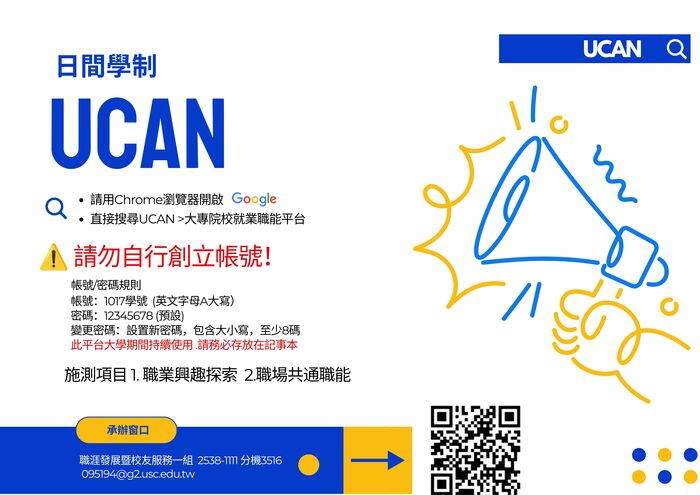
或 Google 搜尋「UCAN」 → 點選 UCAN 大專院校就業職能平台
學務處 職涯發展暨校友服務一組 095194@g2.usc.edu.tw
☎️ 02-2538-1111 #3516
提醒尚未完成 UCAN 診斷的同學,請儘快完成!
Reminder for students who have not yet completed the UCAN assessment. Please complete it as soon as possible.
務必使用學校預設帳號(1017 開頭)登入,勿自行創立帳號!
Please log in using your school-issued default account (starting with 1017). Do NOT create a new account.
登入網址
https://ucan.moe.edu.tw/index.
或 Google 搜尋「UCAN」→ 點選 UCAN 大專校院就業職能平台
Or search “UCAN” on Google and select “UCAN College and University Career Competency Platform.”
重要說明
UCAN 帳號僅建置日間學士班,日間部同學請使用學校預設帳號登入,
UCAN accounts are only created for day-division undergraduate students. Please log in using your school-issued account and do not create a new account.
登入方式
帳號:1017+學號(學號中的 A 請務必大寫)
Account: 1017 + Student ID number
(Please make sure the letter “A” in your student ID is capitalized.)
密碼:
Password:
首次登入:12345678(登入後請立即修改)
First-time login: 12345678 (please change your password after logging in)
曾登入過:請輸入自己設定的密碼
If you have logged in before, please use your previously set password.
請點選系統「忘記帳密查詢」。
Please click “Forgot Account/Password” on the UCAN system.
若仍無法登入,請來信:095194@g2.usc.edu.
If you are still unable to log in, please contact: 095194@g2.usc.edu.tw
信件主旨請寫:班級+學號+姓名+重置UCAN
Email subject format: Class + Student ID + Name + UCAN Password Reset
一年級:職業興趣探索、共通職能診斷
1st Year: Career Interest Assessment / Common Competency Assessment
二年級:專業職能診斷
2nd Year: Professional Competency Assessment
四年級:職業興趣探索、共通職能診斷、專業職能診斷
4th Year: Career Interest Assessment / Common Competency Assessment / Professional Competency Assessment
日間部四年級應屆畢業生離校檢核需完成三項施測:
Senior students (4th year) must complete the following three assessments as part of the graduation clearance requirement:
